{
  "component": "CometChatCallLogs",
  "package": "@cometchat/chat-uikit-react-native",
  "import": "import { CometChatCallLogs } from \"@cometchat/chat-uikit-react-native\";",
  "description": "Scrollable list of call history showing missed, received, and outgoing calls.",
  "props": {
    "data": {
      "callLogRequestBuilder": {
        "type": "CallLogRequestBuilder",
        "note": "Pass the builder, not the result of .build()"
      },
      "datePattern": {
        "type": "DatePattern",
        "note": "Custom date format for call timestamps"
      }
    },
    "callbacks": {
      "onItemPress": "(call: any) => void",
      "onItemLongPress": "(prop: { call: any }) => void",
      "onCallIconPress": "(item: any) => void",
      "onBack": "() => void",
      "onError": "(error: CometChat.CometChatException) => void",
      "onLoad": "(list: any[]) => void",
      "onEmpty": "() => void"
    },
    "visibility": {
      "showBackButton": { "type": "boolean", "default": true },
      "hideError": { "type": "boolean", "default": false },
      "hideHeader": { "type": "boolean", "default": false },
      "hideLoadingState": { "type": "boolean", "default": false }
    },
    "viewSlots": {
      "ItemView": "(call: any) => JSX.Element",
      "LeadingView": "(call: any) => JSX.Element",
      "TitleView": "(call: any) => JSX.Element",
      "SubtitleView": "(call: any) => JSX.Element",
      "TrailingView": "(call: any, defaultOnPress?: (call: any) => void) => JSX.Element",
      "LoadingView": "() => JSX.Element",
      "EmptyView": "() => JSX.Element",
      "ErrorView": "(e: CometChat.CometChatException) => JSX.Element",
      "AppBarOptions": "() => JSX.Element"
    }
  },
  "compositionExample": {
    "description": "Call history list with call-back functionality",
    "components": [
      "CometChatCallLogs",
      "CometChatOutgoingCall"
    ],
    "flow": "onItemPress initiates call to participant, onCallIconPress triggers call-back"
  }
}

Where It Fits

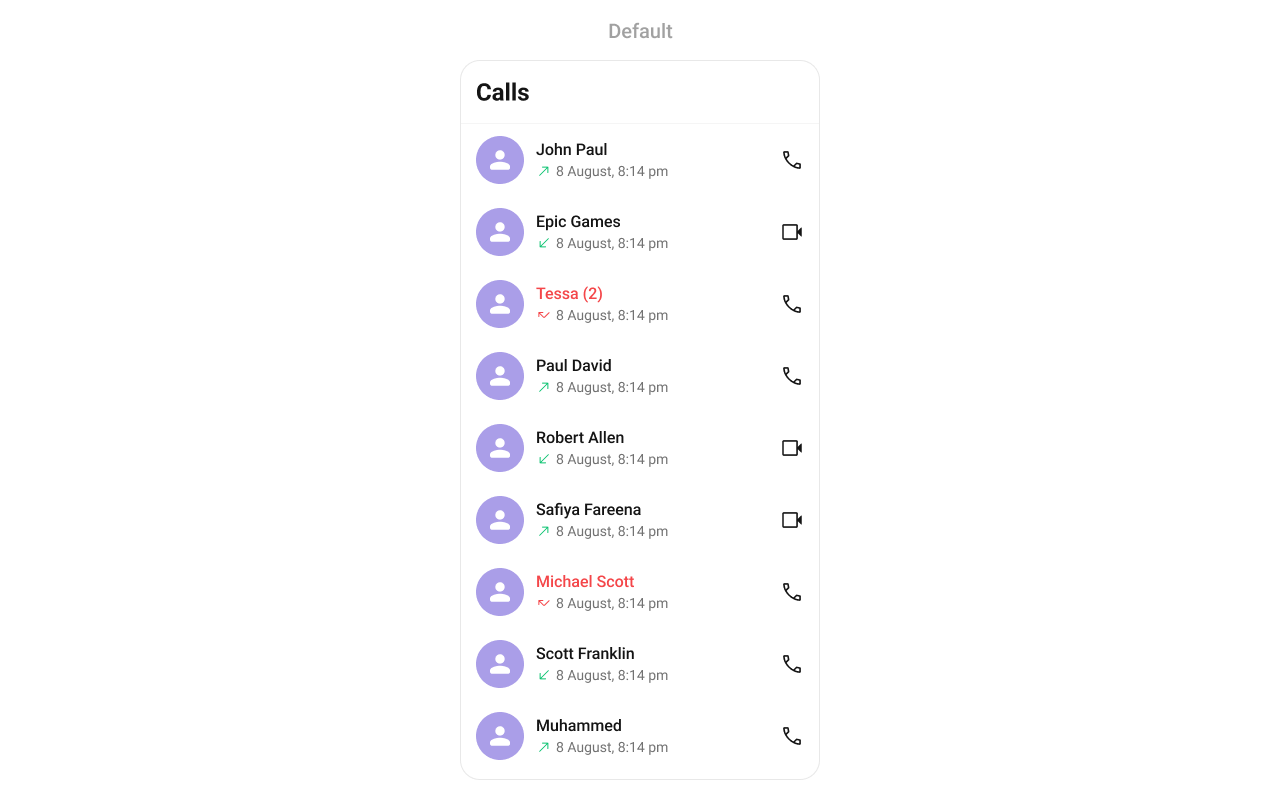
CometChatCallLogs is a Component that shows the list of Call Logs available. By default, names are shown for all listed users, along with their avatars if available.

Minimal Render

import { CometChatCallLogs } from "@cometchat/chat-uikit-react-native";

function CallLogsDemo() {
  return <CometChatCallLogs />;
}

Filtering Call Logs

Pass a CallLogRequestBuilder to callLogRequestBuilder. Pass the builder instance — not the result of .build().
import { CometChatCallLogs } from "@cometchat/chat-uikit-react-native";
import { CallLogRequestBuilder } from "@cometchat/chat-sdk-react-native";

function FilteredCallLogs() {
  const callLogRequestBuilder = new CallLogRequestBuilder()
    .setLimit(20)
    .setCallStatus("cancelled")
    .setAuthToken(loggedInUser.getAuthToken());

  return (
    <CometChatCallLogs
      callLogRequestBuilder={callLogRequestBuilder}
    />
  );
}

Filter Recipes

RecipeCode
Limit to 20 per pagenew CallLogRequestBuilder().setLimit(20)
Only cancelled callsnew CallLogRequestBuilder().setCallStatus("cancelled")
Only incoming callsnew CallLogRequestBuilder().setCallDirection("incoming")
Only outgoing callsnew CallLogRequestBuilder().setCallDirection("outgoing")
Calls with recordingsnew CallLogRequestBuilder().setHasRecording(true)
Filter by user UIDnew CallLogRequestBuilder().setUid("user_uid")

Actions and Events

Callback Props

onItemPress

Fires when a call log row is tapped. By default initiates a call to the participant.
onItemPress?: (call: any) => void
import { CometChatCallLogs } from "@cometchat/chat-uikit-react-native";

function CallLogsWithPress() {
  const handleItemPress = (call: any) => {
    console.log("Selected call:", call);
  };

  return <CometChatCallLogs onItemPress={handleItemPress} />;
}

onItemLongPress

Fires when a call log item is long-pressed, allowing additional actions like delete or select.
onItemLongPress?: (prop: { call: any }) => void
import { CometChatCallLogs } from "@cometchat/chat-uikit-react-native";

function CallLogsWithLongPress() {
  const handleLongPress = (prop: { call: any }) => {
    console.log("Long pressed:", prop.call);
  };

  return <CometChatCallLogs onItemLongPress={handleLongPress} />;
}

onCallIconPress

Fires when the call icon is pressed.
onCallIconPress?: (item: any) => void
import { CometChatCallLogs } from "@cometchat/chat-uikit-react-native";

function CallLogsWithCallIcon() {
  const handleCallIconPress = (call: any) => {
    console.log("Call icon pressed:", call);
  };

  return <CometChatCallLogs onCallIconPress={handleCallIconPress} />;
}

onBack

Fires when the back button in the app bar is pressed.
onBack?: () => void
import { CometChatCallLogs } from "@cometchat/chat-uikit-react-native";

function CallLogsWithBack() {
  return (
    <CometChatCallLogs
      showBackButton={true}
      onBack={() => {
        console.log("Back pressed");
      }}
    />
  );
}

onError

Fires on internal errors (network failure, auth issue, SDK exception).
onError?: (e: CometChat.CometChatException) => void
import { CometChatCallLogs } from "@cometchat/chat-uikit-react-native";
import { CometChat } from "@cometchat/chat-sdk-react-native";

function CallLogsWithError() {
  return (
    <CometChatCallLogs
      onError={(error: CometChat.CometChatException) => {
        console.error("CallLogs error:", error);
      }}
    />
  );
}

onLoad

Fires when the list is successfully fetched and loaded.
onLoad?: (list: any[]) => void
import { CometChatCallLogs } from "@cometchat/chat-uikit-react-native";

function CallLogsWithLoad() {
  const handleLoad = (list: any[]) => {
    console.log("Call logs loaded:", list.length);
  };

  return <CometChatCallLogs onLoad={handleLoad} />;
}

onEmpty

Fires when the call log list is empty.
onEmpty?: () => void
import { CometChatCallLogs } from "@cometchat/chat-uikit-react-native";

function CallLogsWithEmpty() {
  return (
    <CometChatCallLogs
      onEmpty={() => {
        console.log("No call logs available");
      }}
    />
  );
}

Custom View Slots

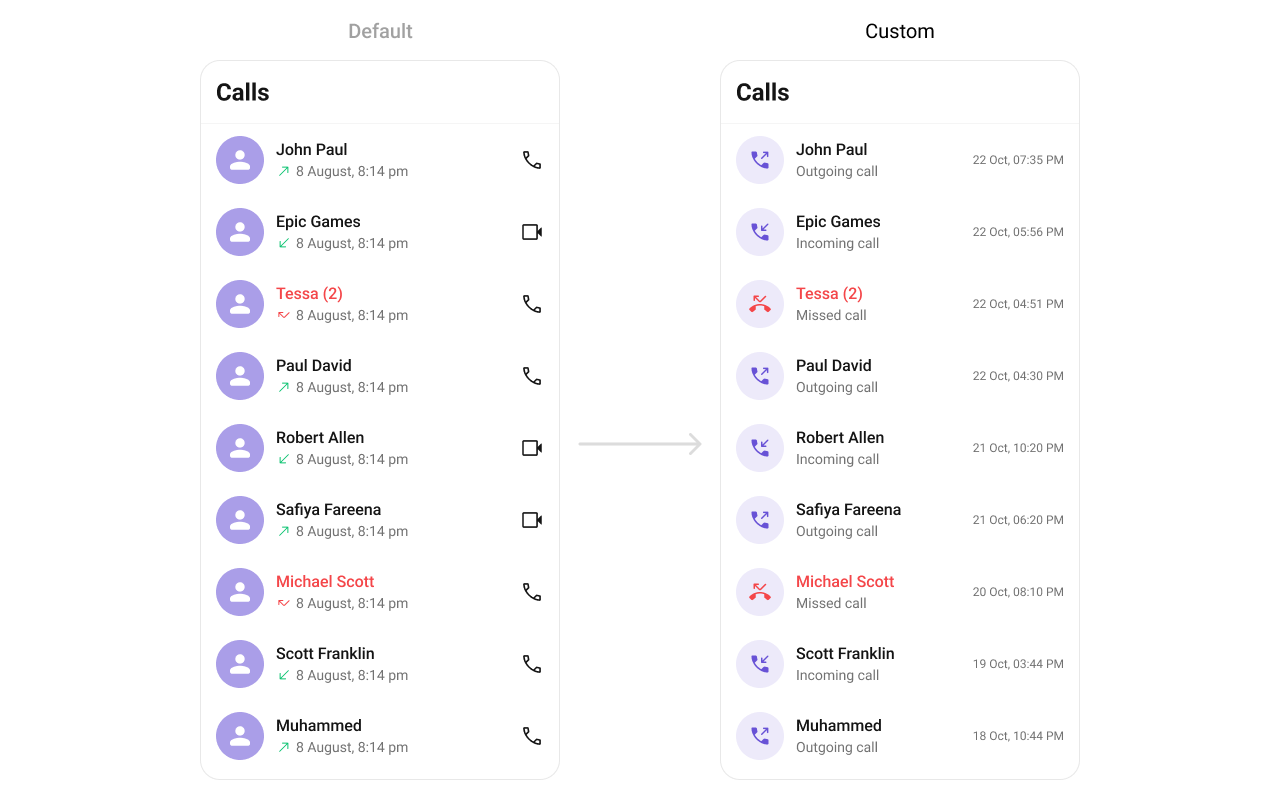
Each slot replaces a section of the default UI. Slots that accept a call parameter receive the call log object for that row.
SlotSignatureReplaces
ItemView(call: any) => JSX.ElementEntire list item row
LeadingView(call: any) => JSX.ElementAvatar / left section
TitleView(call: any) => JSX.ElementCaller name / title text
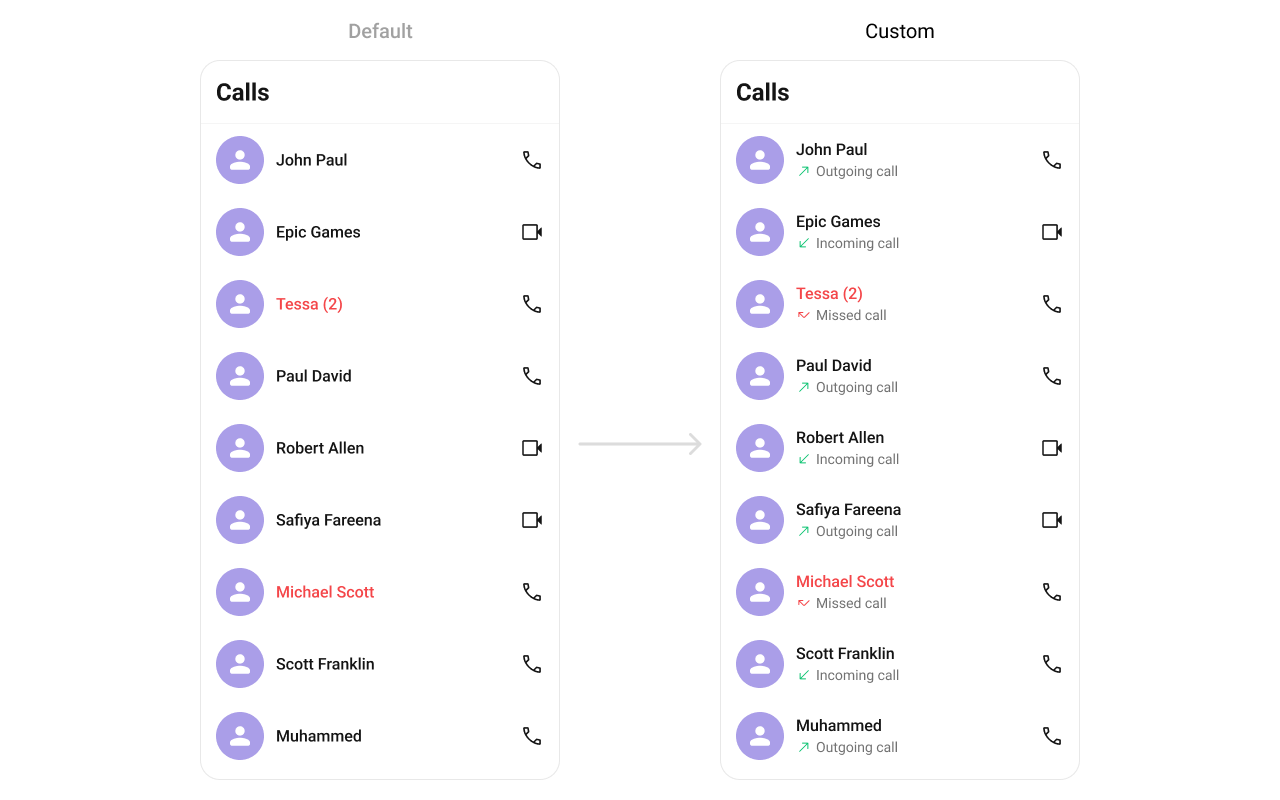
SubtitleView(call: any) => JSX.ElementCall type / details
TrailingView(call: any, defaultOnPress?) => JSX.ElementDuration / right section
LoadingView() => JSX.ElementLoading spinner
EmptyView() => JSX.ElementEmpty state
ErrorView(e: CometChat.CometChatException) => JSX.ElementError state
AppBarOptions() => JSX.ElementHeader bar options

LoadingView

Custom view displayed when data is being fetched.
LoadingView?: () => JSX.Element
import { CometChatCallLogs } from "@cometchat/chat-uikit-react-native";
import { Text } from "react-native";

function LoadingViewDemo() {
  const getLoadingView = (): JSX.Element => {
    return <Text>Loading call logs...</Text>;
  };

  return <CometChatCallLogs LoadingView={getLoadingView} />;
}

EmptyView

Custom view displayed when there are no call logs.
EmptyView?: () => JSX.Element
import { CometChatCallLogs } from "@cometchat/chat-uikit-react-native";
import { Text } from "react-native";

function EmptyViewDemo() {
  const getEmptyView = (): JSX.Element => {
    return <Text>No calls yet. Make your first call!</Text>;
  };

  return <CometChatCallLogs EmptyView={getEmptyView} />;
}

ErrorView

Custom view displayed when an error occurs.
ErrorView?: (e: CometChat.CometChatException) => JSX.Element
import { CometChatCallLogs } from "@cometchat/chat-uikit-react-native";
import { CometChat } from "@cometchat/chat-sdk-react-native";
import { Text } from "react-native";

function ErrorViewDemo() {
  const getErrorView = (e: CometChat.CometChatException): JSX.Element => {
    return <Text>Error loading calls. Please try again.</Text>;
  };

  return <CometChatCallLogs ErrorView={getErrorView} />;
}

ItemView

Custom view for the entire list item row.
ItemView?: (call: any) => JSX.Element
import { CometChatCallLogs } from "@cometchat/chat-uikit-react-native";
import { View, Text } from "react-native";

function ItemViewDemo() {
  const getItemView = (call: any): JSX.Element => {
    return (
      <View style={{ padding: 16, flexDirection: 'row' }}>
        <Text style={{ flex: 1 }}>{call.getInitiator().getName()}</Text>
        <Text>{call.getStatus()}</Text>
      </View>
    );
  };

  return <CometChatCallLogs ItemView={getItemView} />;
}

SubtitleView

Custom view for the call type / details.
SubtitleView?: (call: any) => JSX.Element
import { CometChatCallLogs } from "@cometchat/chat-uikit-react-native";
import { Text } from "react-native";

function SubtitleViewDemo() {
  const getSubtitleView = (call: any): JSX.Element => {
    return (
      <Text style={{ color: '#727272', fontSize: 12 }}>
        {call.getStatus()}{call.getDuration()}s
      </Text>
    );
  };

  return <CometChatCallLogs SubtitleView={getSubtitleView} />;
}

TrailingView

Custom view for the duration / right section.
TrailingView?: (call: any, defaultOnPress?: (call: any) => void) => JSX.Element
import { CometChatCallLogs } from "@cometchat/chat-uikit-react-native";
import { TouchableOpacity, Text } from "react-native";

function TrailingViewDemo() {
  const getTrailingView = (call: any, defaultOnPress?: (call: any) => void): JSX.Element => {
    return (
      <TouchableOpacity onPress={() => defaultOnPress?.(call)}>
        <Text>📞 Call Back</Text>
      </TouchableOpacity>
    );
  };

  return <CometChatCallLogs TrailingView={getTrailingView} />;
}

AppBarOptions

Custom view for the header bar options.
import { CometChatCallLogs } from "@cometchat/chat-uikit-react-native";
import { TouchableOpacity, Image } from "react-native";

function AppBarOptionsDemo() {
  return (
    <CometChatCallLogs
      AppBarOptions={() => {
        return (
          <TouchableOpacity onPress={() => console.log("Filter pressed")}>
            <Image source={FilterIcon} style={{ width: 24, height: 24 }} />
          </TouchableOpacity>
        );
      }}
    />
  );
}

Styling

Using Style you can customize the look and feel of the component in your app. Pass a styling object as a prop to the CometChatCallLogs component.
import { CometChatCallLogs } from "@cometchat/chat-uikit-react-native";

function StylingDemo() {
  return (
    <CometChatCallLogs
      hideBackButton={true}
      style={{
        titleSeparatorStyle: {
          borderBottomColor: "#F76808",
        },
        titleTextStyle: {
          color: "#F76808",
        },
        itemStyle: {
          avatarStyle: {
            containerStyle: {
              borderRadius: 8,
              backgroundColor: "#FBAA75",
            },
            imageStyle: {
              borderRadius: 8,
            },
          },
        },
      }}
    />
  );
}

Visibility Props

PropertyDescriptionCode
showBackButtonToggle visibility of the back button in the app barshowBackButton?: boolean
hideErrorHide error state on fetching call logshideError?: boolean
hideHeaderToggle visibility for the toolbar/header barhideHeader?: boolean
hideLoadingStateToggle visibility of loading statehideLoadingState?: boolean

Outgoing Call Configuration

You can customize the properties of the OutGoing Call by making use of the outgoingCallConfiguration prop:
import { CometChatCallLogs } from "@cometchat/chat-uikit-react-native";
import { Text } from "react-native";

function OutgoingCallConfigDemo() {
  return (
    <CometChatCallLogs
      outgoingCallConfiguration={{
        SubtitleView: () => {
          return <Text style={{ color: '#FFC0CB' }}>Outgoing Call</Text>;
        },
        style: {
          containerStyle: {
            backgroundColor: '#FFE4EBF5',
          },
        },
      }}
    />
  );
}

Next Steps