

AI Integration Quick Reference
AI Integration Quick Reference
| Field | Value |
|---|---|
| Package | @cometchat/chat-uikit-react-native |
| Key components | CometChatMessageHeader, CometChatMessageList, CometChatMessageComposer, CometChatAIAssistantChatHistory |
| Required setup | CometChatUIKit.init(UIKitSettings) then CometChatUIKit.login("UID") |
| Purpose | Enable intelligent conversational AI capabilities with AI Agent integration |
| Sample app | GitHub |
| Related | Message List · Message Composer · All Guides |
- AI Assistant Chat History
- Chat History Management
- Contextual Responses
- Agent Detection
- Seamless Handoffs
Overview
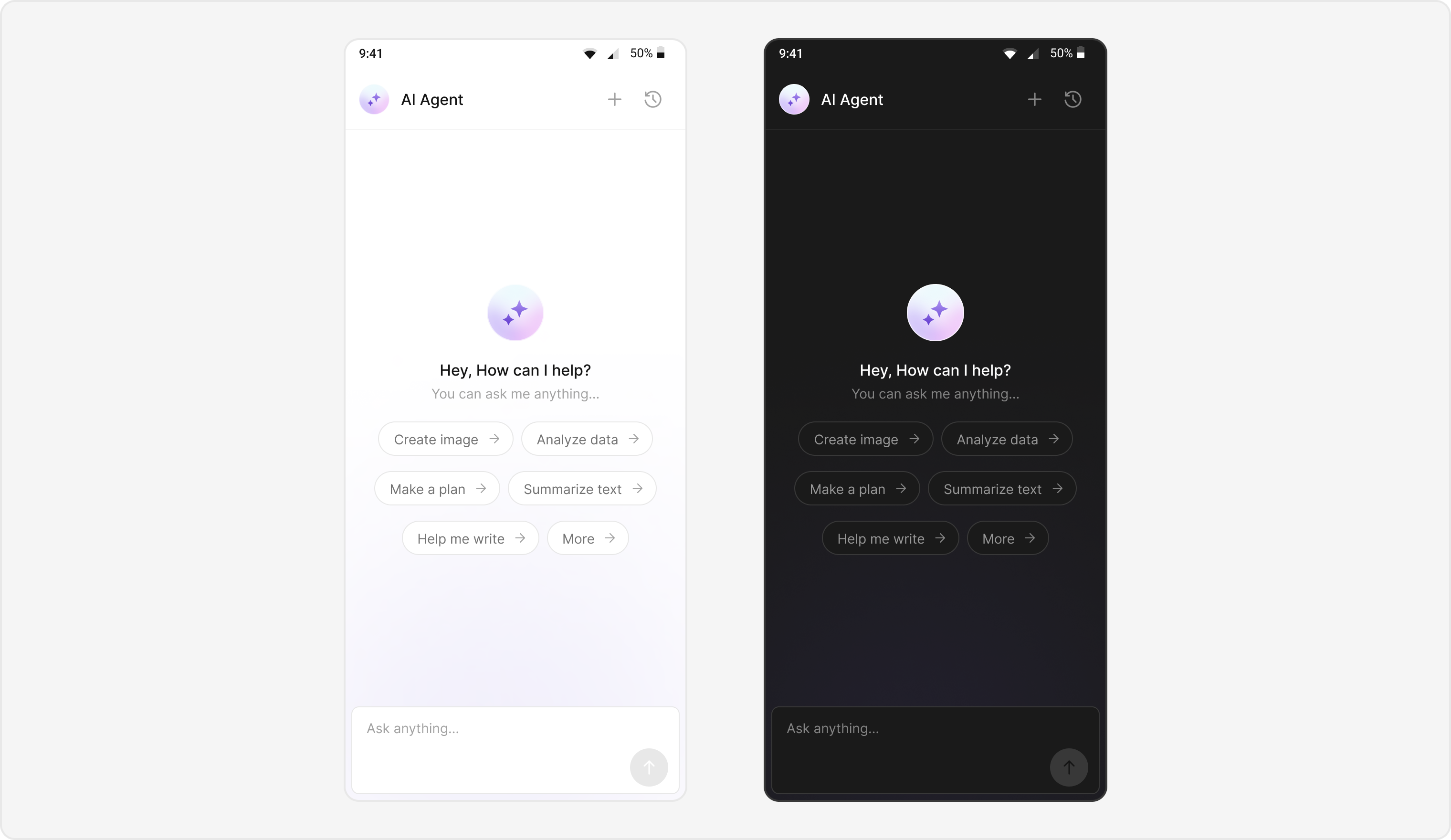
Users can interact with AI agents through a dedicated chat interface that:- Provides intelligent responses based on conversation context.
- Maintains chat history for continuity.
- Seamlessly integrates with your existing user chat system.
Prerequisites
- React Native project with @cometchat/chat-uikit-react-native and @cometchat/chat-sdk-react-native installed.
- Valid CometChat App ID, Region, and Auth Key configured via
CometChatUIKit.init(). - User logged in with
CometChatUIKit.login(). - AI Agent configured in your CometChat dashboard.
Components
| Component / Class | Role |
|---|---|
AIAssistantChatScreen | Main screen for AI agent chat. |
CometChatAIAssistantChatHistory | Displays previous AI conversation history. |
CometChatMessageList | Shows AI messages with threading support. |
CometChatMessageComposer | Input interface for AI conversations. |
CometChatMessageHeader | Header with AI agent info and controls. |
Integration Steps
Step 1 - Screen Setup
Create the AI Assistant chat screen with proper navigation and component configuration.- TypeScript
Step 2 - Navigation Setup
Configure React Navigation to handle AI Assistant chat screens.- TypeScript
Step 3 - Theme Customization
Define custom themes for the message list and composer to differentiate AI agent chats.- TypeScript
Step 4 - AI Assistant Tools Configuration
Configure AI Assistant tools and suggested messages for an enhanced user experience.- TypeScript
Step 5 - Create AI Assistant Chat History Screen
Create a screen to host theCometChatAIAssistantChatHistory component and handle its interactions.
- TypeScript
Step 6 - Launching AI Chat
Create navigation functions to launch AI Assistant chat from your main application.- TypeScript
Implementation Flow Summary
| Step | Action |
|---|---|
| 1 | User selects AI agent from chat list |
| 2 | AIAssistantChatScreen navigates and renders |
| 3 | Parse route params and detect agent chat (Role of user must be “@agentic”) |
| 4 | Initialize UI with AI-specific theming |
| 5 | Configure chat history and navigation handlers |
| 6 | Launch chat with AI agent |
Customization Options
- Custom AI Assistant Empty Chat View: Customize the empty state view using
emptyChatGreetingViewprop. - Streaming Speed: Adjust AI response streaming speed via
streamingSpeedprop. - AI Assistant Suggested Messages: Create custom list of suggested messages using
aiAssistantSuggestedMessagesprop. - AI Assistant Tools: Set tools for the AI agent using
aiAssistantToolsprop.
Feature Matrix
| Feature | Implementation | UI Component |
|---|---|---|
| AI Chat Interface | AIAssistantChatScreen | Full chat screen |
| Chat History | CometChatAIAssistantChatHistory | Chat history screen |
React Native AI Sample
Explore this feature in the CometChat React Native Sample:
GitHub → React Native Sample
React Native UI Kit
Learn more about React Native UI Kit components:
GitHub → React Native UIKit