

AI Integration Quick Reference
AI Integration Quick Reference
| Field | Value |
|---|---|
| Package | @cometchat/chat-uikit-react-native |
| Framework | Expo |
| Components | CometChatConversations, CometChatMessageHeader, CometChatMessageList, CometChatMessageComposer |
| Layout | Conversation list → tap → message view |
| Prerequisite | Complete Expo Integration Steps 1–4 first |
| Pattern | WhatsApp, Telegram, Signal |
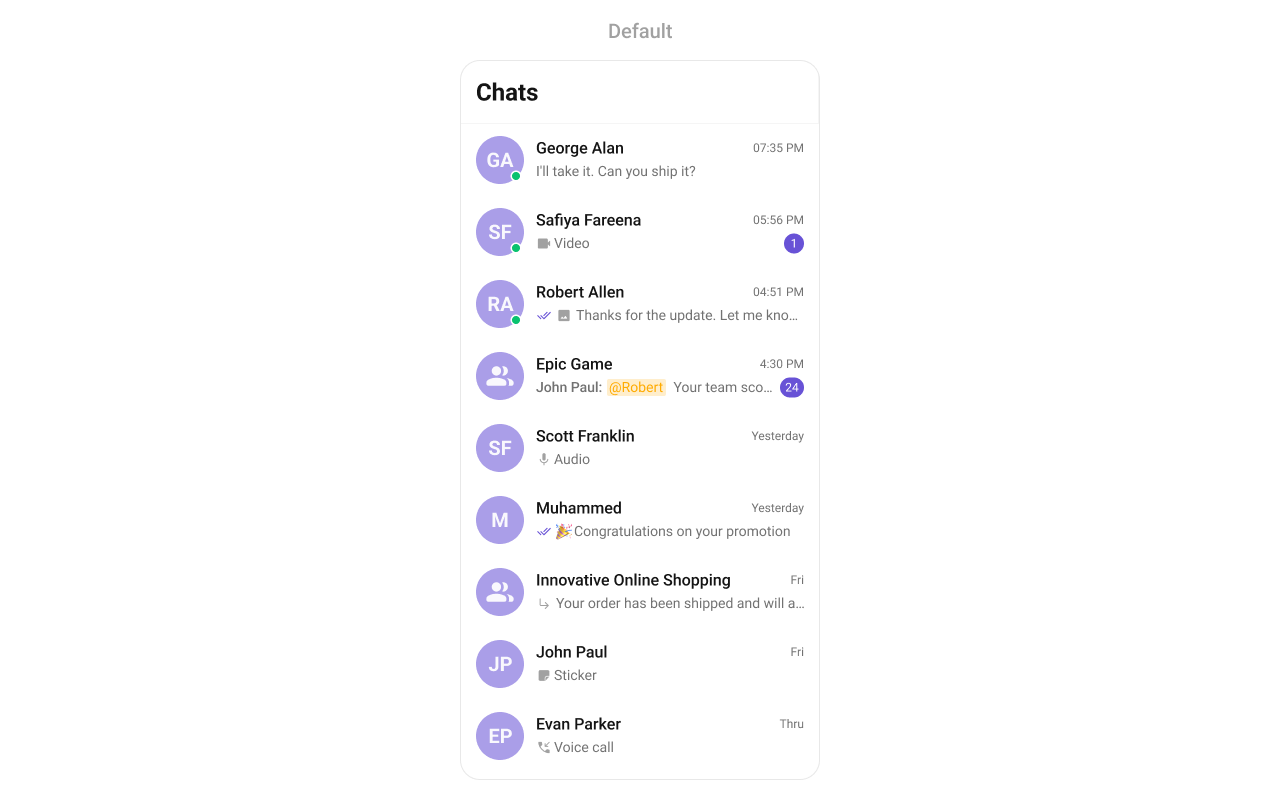
What You’re Building
Two screens working together:- Conversation list — shows all active conversations (users and groups)
- Message view — displays chat messages for the selected conversation with header, message list, and composer
Step 1 — Create the Messages Component
Create aMessages.tsx file that combines the message header, list, and composer:
- TypeScript
- JavaScript
Messages.tsx
Step 2 — Update App.tsx
Wire the conversation list and message components together:- TypeScript
- JavaScript
App.tsx
Step 3 — Run the Project
- iOS
- Android